 ee4c7ef22a
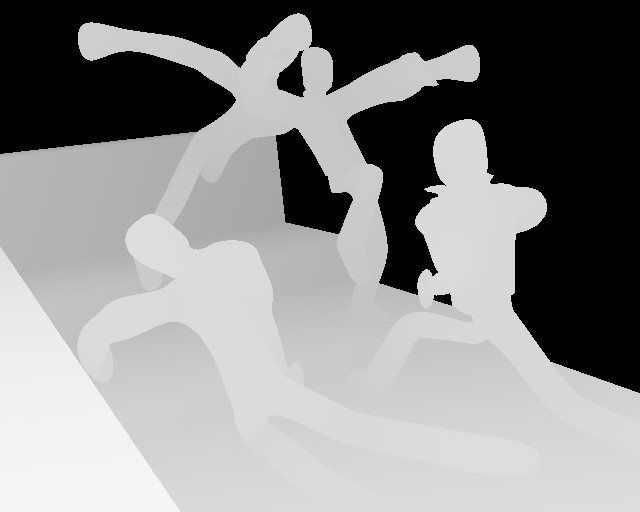
Just use SHIFT-F3 and save an image.

	Basically all this does is copy the zbuffer to a new Image buffer
	and pass that to the save image function.

Sample output:
	http://www.cs.umn.edu/~mein/blender/kungfu_zbuf255.jpg

	Also thanks to Jesterking for helping me debug dumbness... ;)
	and the nice screenshot.

Kent
Welcome to the fun world of open source.

For instructions on building and installing Blender, please see the file named
INSTALL.


---------------------.Blanguages and the .blender directory---------------------

The .blender directory holds various data files for Blender.
In the 2.28a release those are the .Blanguages file containing a list of
translations, the translations themselves and a default ttf font.

Blender checks for the presence of this directory in several locations:
	- the current directory
	- your home directory
	- On OSX, the blender bundle is also checked
	- On Windows, the installation dir is checked.

If you get a 'File ".Blanguages" not found' warning, try to copy the .blender
dir to one of these locations (your home directory being recommended).


-------------------------------------Links--------------------------------------

Getting Involved:
http://www.blender.org/docs/get_involved.html

Community:
http://www.blender3d.org/Community/

Main blender development site:
http://www.blender.org/

The Blender project homepage:
http://projects.blender.org/projects/bf-blender/

Documentation:
http://www.blender.org/modules.php?op=modload&name=documentation&file=index

Bug tracker:
http://projects.blender.org/tracker/?atid=125&group_id=9&func=browse

Feature request tracker:
http://projects.blender.org/tracker/?atid=128&group_id=9&func=browse